iF_BIow
-
Posts
5 -
Joined
-
Last visited
Content Type
Profiles
Pokédex
Portal
Technical Documentation
Pages
Tutorials
Forums
Events
Downloads
Gallery
Blogs
Everything posted by iF_BIow
-
Thank you Ernesto for explaining in plain English what I need to do instead of giving me some cryptic riddle. I wasn't aware the ROM and SAV file had to have the same name. This worked great! Appreciate the help.
-
So If I close the game, reopen it and then import that should work? If you could tell me what to do to make it work properly as you're telling me instead of just telling me "it should be obvious" over and over, that would be great. Because in my eyes, it clearly isn't obvious.
-
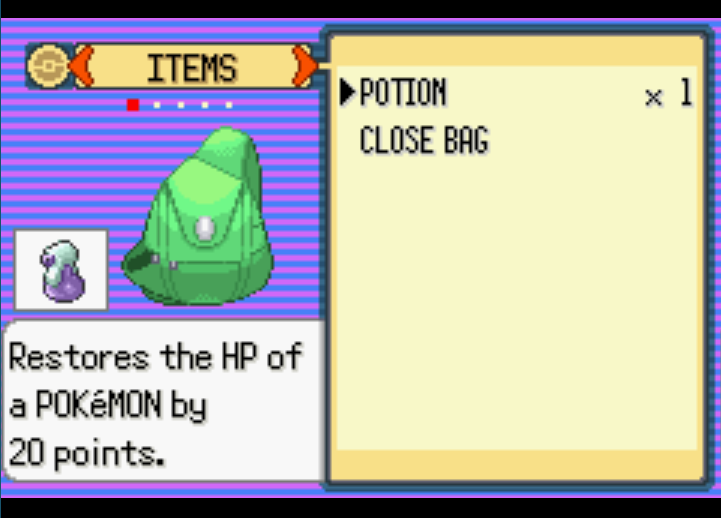
I've watched countless videos and looked in multiple threads and I don't really know what step I'm missing. Importing a sav file that was exported from PkHeX/PkHaX doesn't change anything in my save file. Here's a link to a video of what I'm doing exactly. Attaching the file here failed.
-
Adding Items in PKHex not appearing in FireRed
iF_BIow replied to Grouch's topic in Saves - Editing Help
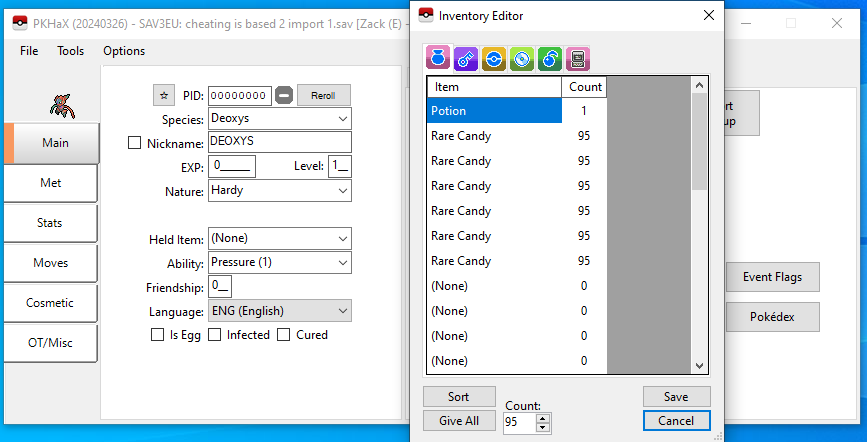
I feel like I'm doing what you're describing. Not sure if it makes a difference if I'm using PkHeX or PkHaX. Here are my exact steps 1) Open my randomizer save file in VisualBoyAdvance 2) Click File>Export>Battery File 3) Save the file as a .sav file (lets call it file 1 for simplicity) 4) Close VisualBoyAdvance (not sure if this is relevant) 5) Open up the PkHaX application 6) Drag "file 1" into the application 7) Edit the changes to my bag items by giving myself rare candies and then clicking save 8] In PkHaX, click File>Export SAV... 9) Save the file as a .sav file (lets call it file 2 for simplicity) 10) Reopen my randomizer save file in VisualBoyAdvance 11) click File>Import>Battery file and select "file 2" 12) Click Yes when the "Confirm import" prompt pops up From the videos I've watched and what people have described here, that seems to be all I need to do, however, this hasn't been working. The red text appears at the bottom of the screen after importing file 2 but the bag changes have not updated. When I reopen file 2 in PkHaX, the rare candies are in there -
Adding Items in PKHex not appearing in FireRed
iF_BIow replied to Grouch's topic in Saves - Editing Help
Having the same issue as OP. I followed the exact steps laid out and the items I added to my save file in PkHeX are still not in my bag or PC when I import it in to the emulator. When I reopen the save file in PkHeX, I can see the rare candies again that I added to my bag. The only steps I didn't do (because it isn't an option) is step 7 of "Export main". When I click "Export SAV..." nothing like that shows up. It just brings up the file save location on where to export it to.